
To access the SciData Portal you need to have either the SC Data Editor or SC Data Viewer role assigned to your WCPFC account by your Party Adminstrator.
The first time you access the portal you will be presented with a list of data types that are able to be submitted, similar to the following screenshot:
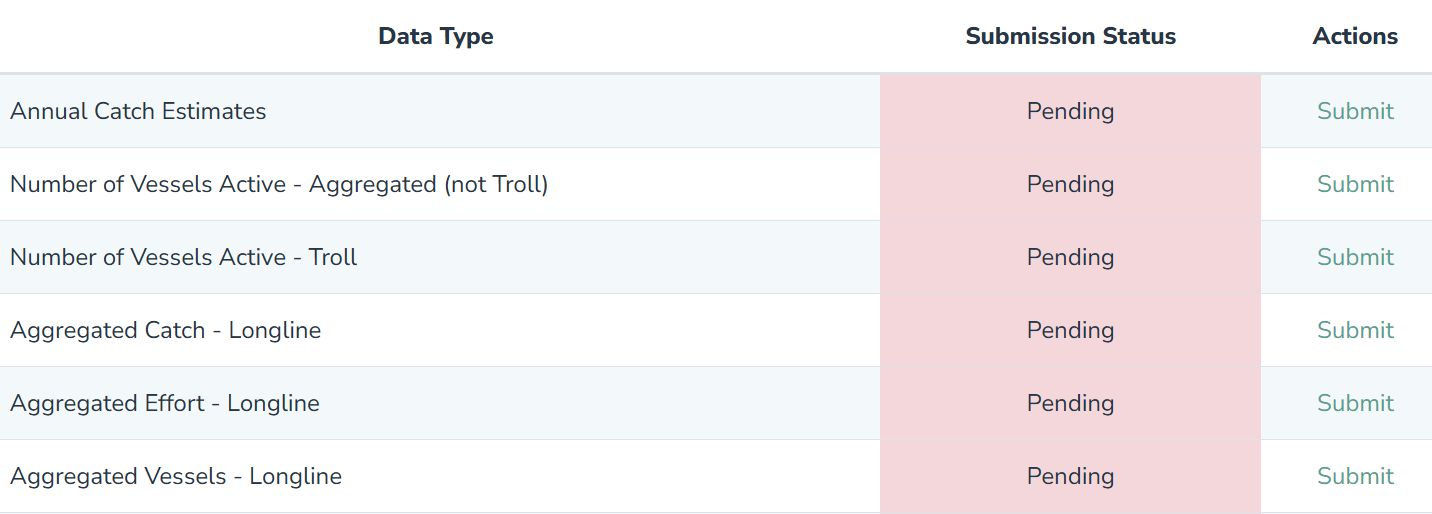
These are the datasets that can be submitted for the current reporting year. For 2026, it will be for the 2025 reporting year. For 2027, it will be 2026 and so on.
Each data type has a submit option available to the SC Data Editors to create a new data submission. Every data type listed must have a submission created for the reporting obligations to be met. This includes submitting "Not Applicable" if the type of data does not apply to yuor CCM.
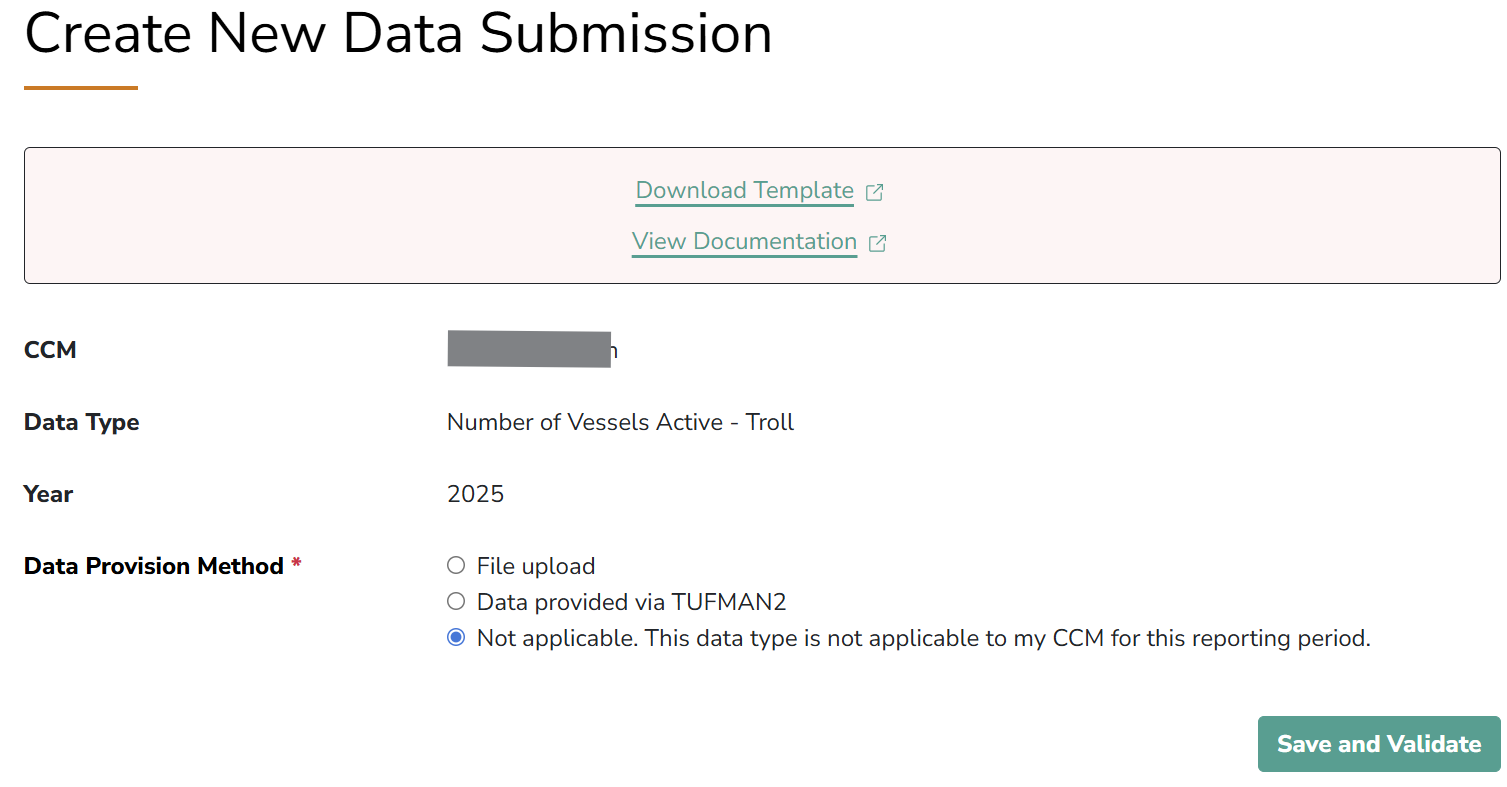
As can be seen in the screenshot above the new submission page also includes links to the template file provided by SPC and the detailed documentation for each data set.
When submitting a dataset, choose File upload and the file option is enabled allowing you to choose a file to upload.
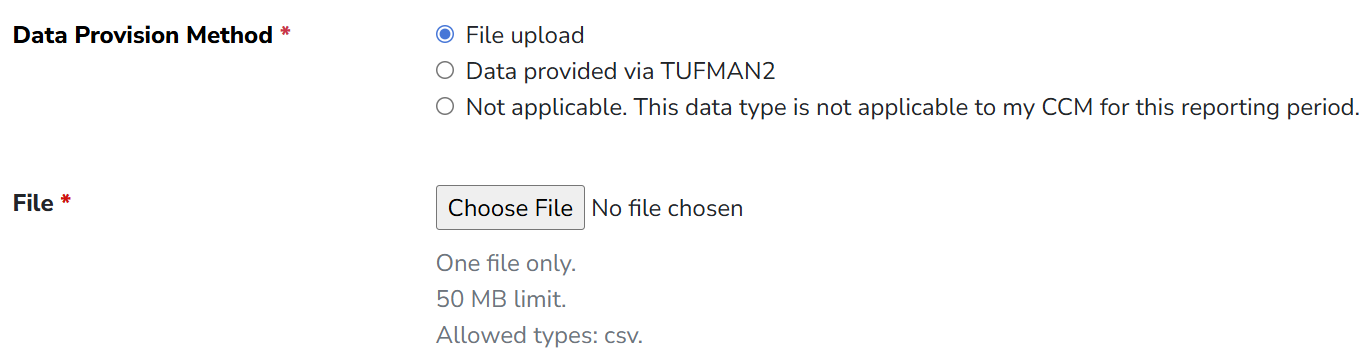
When the file has been uploaded, click on the Save and Validate button. This will send the file to a validation process at SPC and return a message indicating if the file is in the correct format. This process may take some time depending on the size of the data file.
Important: Only when all of the data types have had a response, is it then possible to complete the submission process and notify SPC that the data submission for the current reporting year is complete. When each item has has a response, the Finalise and Send to SSP button will then change from grey to green.
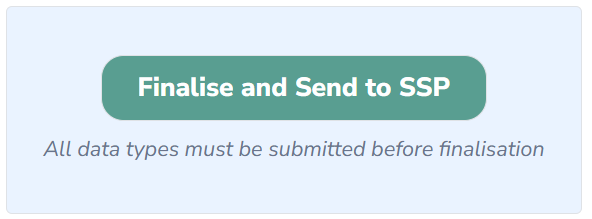
Clicking the finalise button will:
- Change the status of each item from being in Draft to being submitted
- Set the submission date on the data submissions dashboard to the current data
- Alert WCPFC and SPC that the data has been finalised