Background
The VMS Reporting Status Tool (VRST) is a secure, online system that gives authorized CCMs current information on the VMS reporting status of all vessels on the RFV, showing how many position reports each vessel transmits daily, the current reporting channel (WCPFC direct, through FFA, manual, or not reporting), and a general status such as “in port” or “at sea”; vessel status is updated once a day (around midday Pohnpei time) and the system updates daily at 1:00 a.m. UTC.
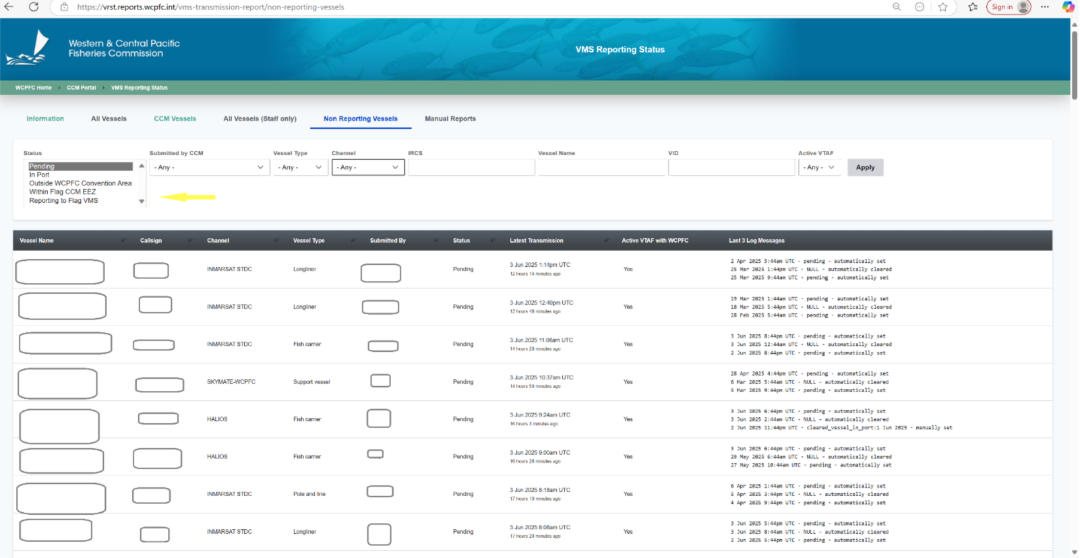
VRST automates a previously manual process, supports CSV export, and lets users update or set the reporting status for nonreporting vessels to support compliance monitoring. The tool provides three report views: All Vessels (latest status for every RFV vessel), CCM Vessels (vessels flagged to the logged in CCM, with expected reporting via FFA VMS or WCPFC MTU and daily counts over the past 14 days), and Non Reporting Vessels (vessels expected to report but not sending data; VMS Editors can set In Port or Outside the Convention Area with an effective date, and the status resets automatically once VMS data is received).
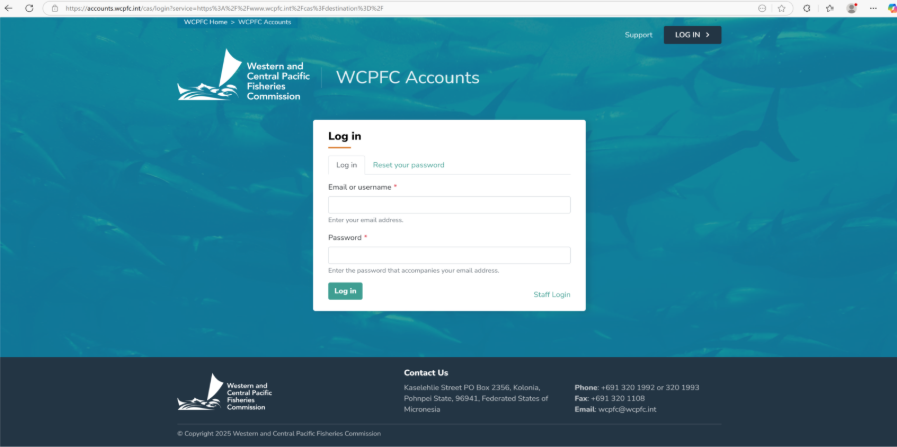
Step 1: Log in WCPFC Accounts System using your assigned username and password.
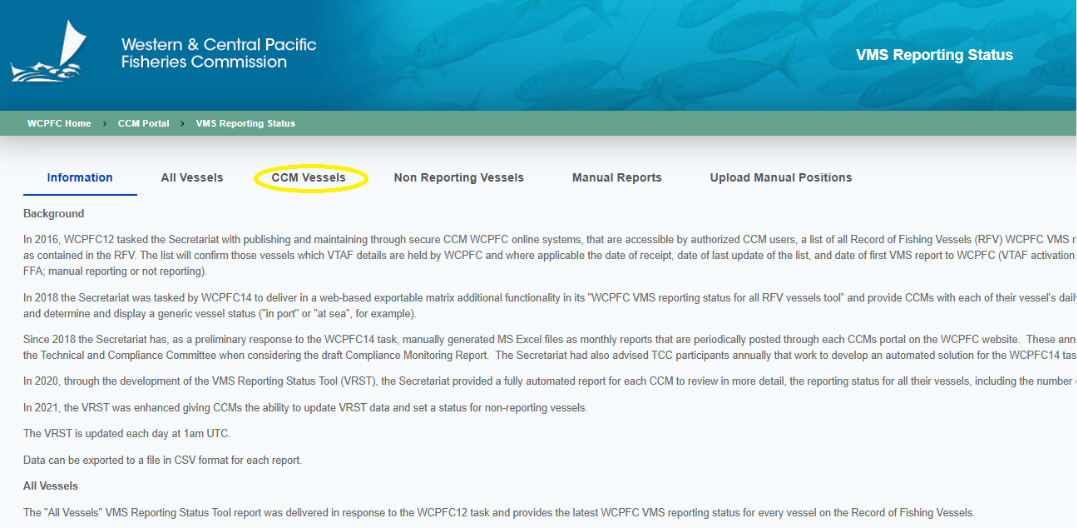
Step 2: Navigate to the CCM vessels tab
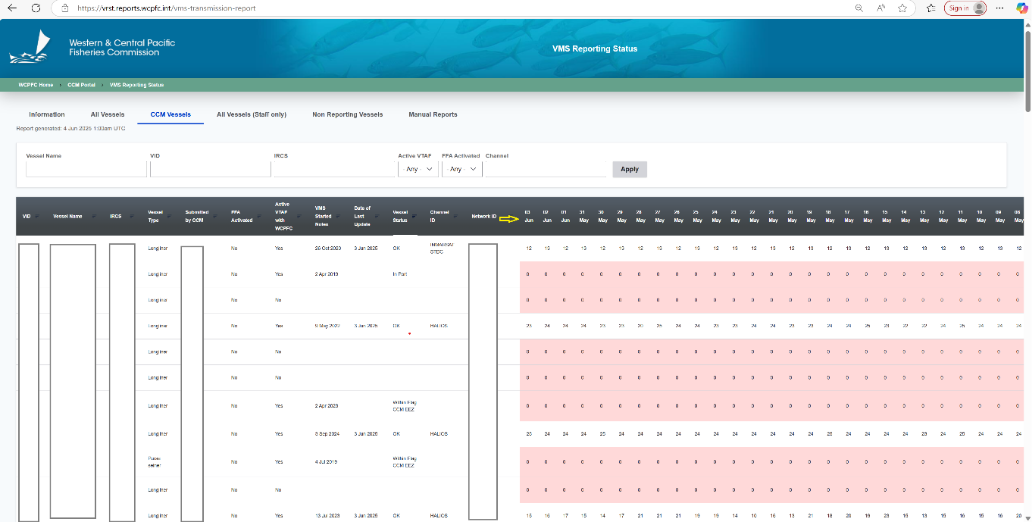
Step 3: Non-Reporting vessels are highlighted in pink for a period of 30 days.
Step 4: For vessels that are non-reporting for more than 30 days navigate to the non-reporting vessels tab to set the vessel status. Vessel status as listed as Pending: Temporary placeholder until a VMS Editor selects the correct status. In Port: The vessel is in port. Outside the Convention Area: The vessel is operating outside the WCPFC Convention Area. Within Flag CCM EEZ: The vessel is operating within its flag State EEZ. Reporting to Flag VMS: The vessel is reporting via the flag State VMS (e.g., via the FFA VMS) rather than directly to WCPFC.