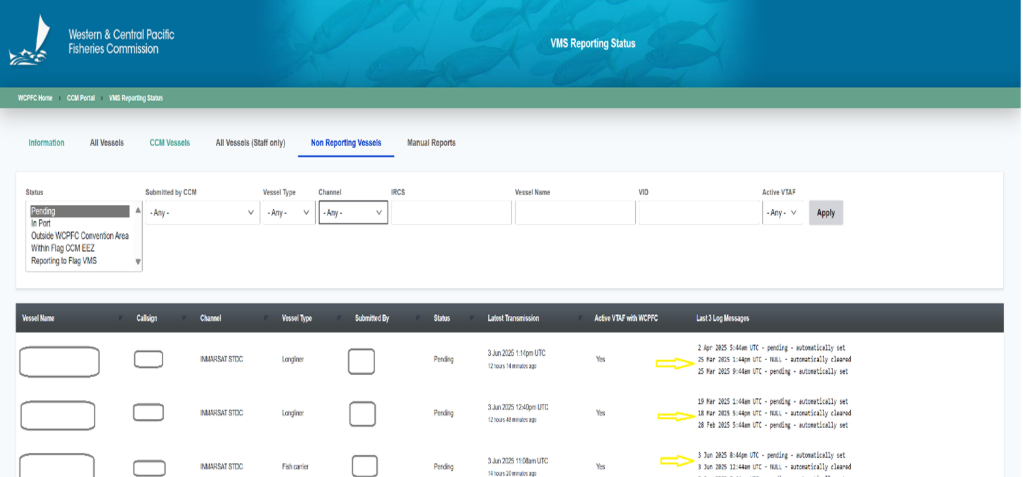
Background
VRST is a near realtime tool for identifying and resolving VMS reporting gaps across each CCM’s RFV vessels, enabling prompt followup and corrective action with CCM flag contacts, service providers, or the Secretariat. By addressing gaps as they arise, CCMs reduce reliance on manual reporting and minimize endofyear reconciliation during annual reporting and compliance reviews. The tool shows recent pervessel reporting activity and lets authorized users record dispositions for nonreporting cases, keeping an auditable trail of actions taken. Data refreshes daily, supporting daytoday monitoring rather than posthoc cleanup. When manual reports are necessary, VRST provides a structured place to upload and update them, ensuring continuity of evidence. All CCM users access VRST via the WCPFC Accounts System.
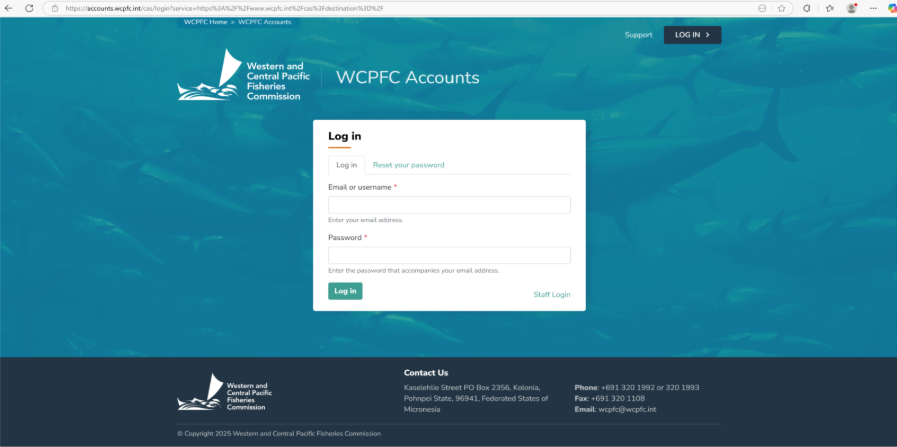
Step 1: Log in through the WCPFC Accounts System using your assigned username and password
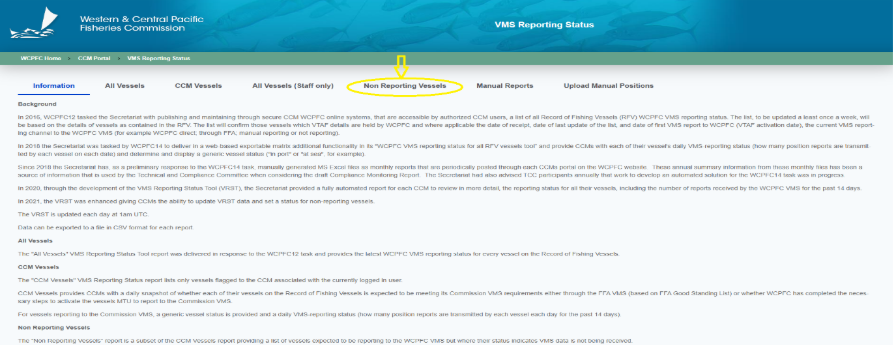
Step 2: Navigate to the non-reporting vessels tab
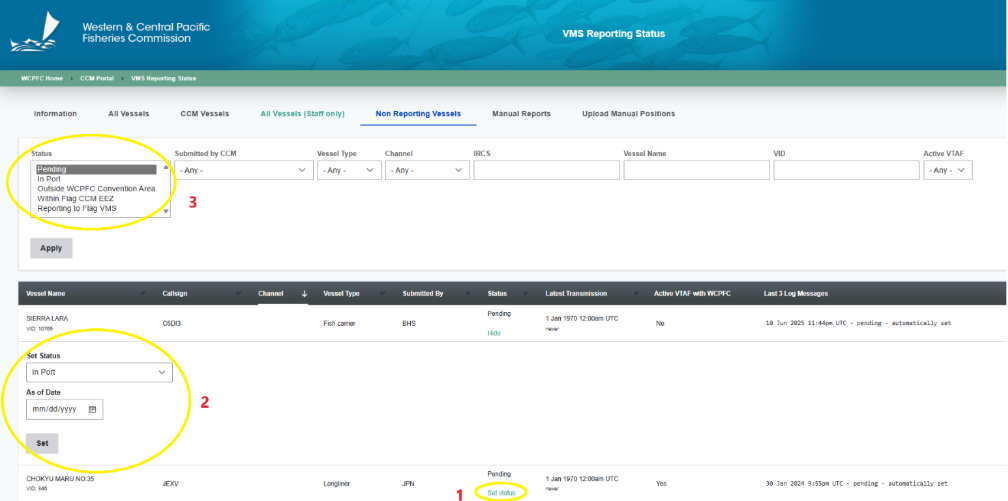
Step 3: Vessel reporting status’s are listed as Pending, In Port, Outside WCPFC Convention Area, Within Flag CCM EEZ, Reporting Flag VMS as shown in item 3 below. To update a vessel, click “Set Status” (item 1), then choose the correct status from the dropdown (item 2). Set the “As of Date” to the date the status became effective. Click Save.
Step 4: Once the vessel resumes normal reporting, VRST automatically clears the nonreporting status, which resolves the reporting gap created. If the case relates to a STOP report and there is any period when position reports were expected but not received, refer the case to the Upload Manual Reporting helpdesk to submit manual position reports for the missing time window.